Using BDD and Robot Framework in SquashTM - Project setup
Setup
| Annita SquashTM administrator | Pravash Product owner | Fabrice Functional tester | Antonine Automatician |
|---|---|---|---|
| Set up SquashTM | |||
| Write requirements | |||
| Write test cases | |||
| Transmit test cases | |||
| Get test cases | |||
| Automate test cases | |||
| Deliver automated test cases | |||
| Indicate automation is performed | |||
| Run automated tests |
Declaration of the public URL
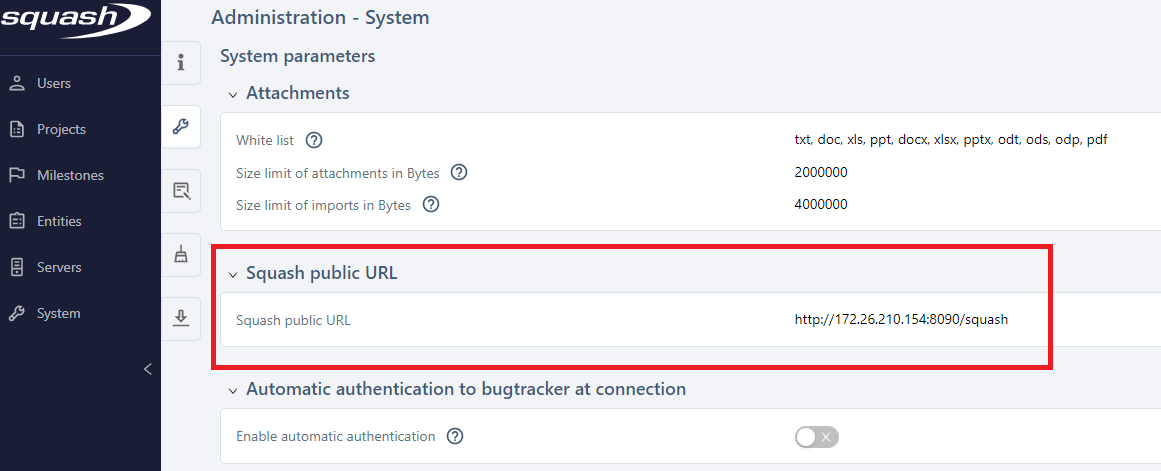
In order to enable the communication between SquashTM and SquashTM Orchestrator, the public URL of the SquashTM instance must be declared.
Annita defines the public URL as described in SquashTM documentation.
Creation of the project in SquashTM
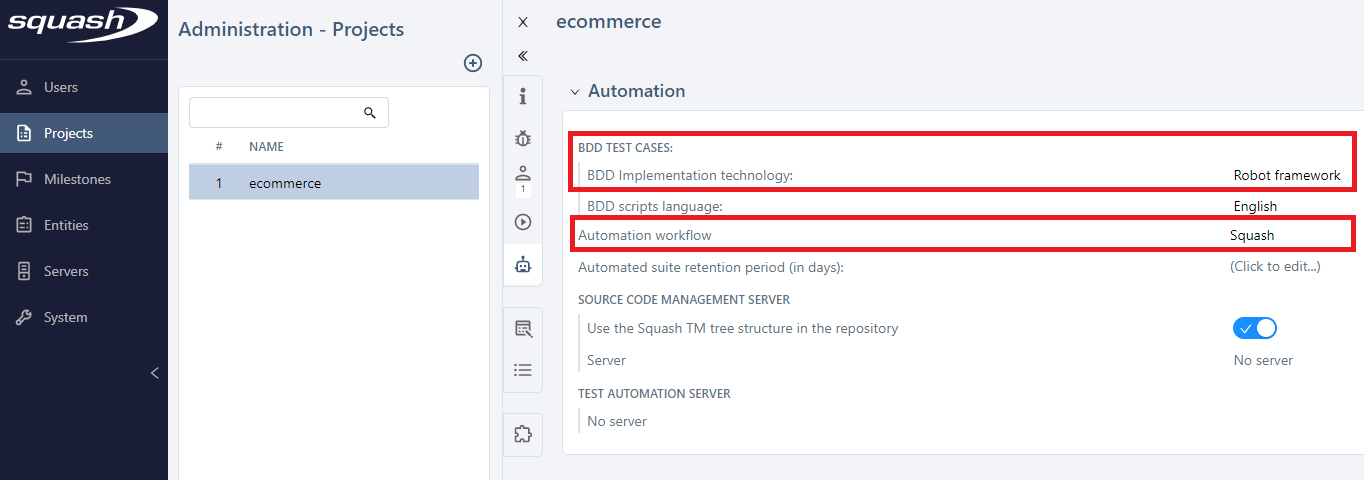
Annita creates the project as described in the SquashTM documentation.
She sets the project as BDD with Robot Framework and the automation workflow as managed by SquashTM:
Declaration of the SquashTM Orchestrator in SquashTM
A SquashTM Orchestrator has been deployed as described in that page.
Annita declares it in SquashTM as described in the documentation so it is available to execute tests from SquashTM. 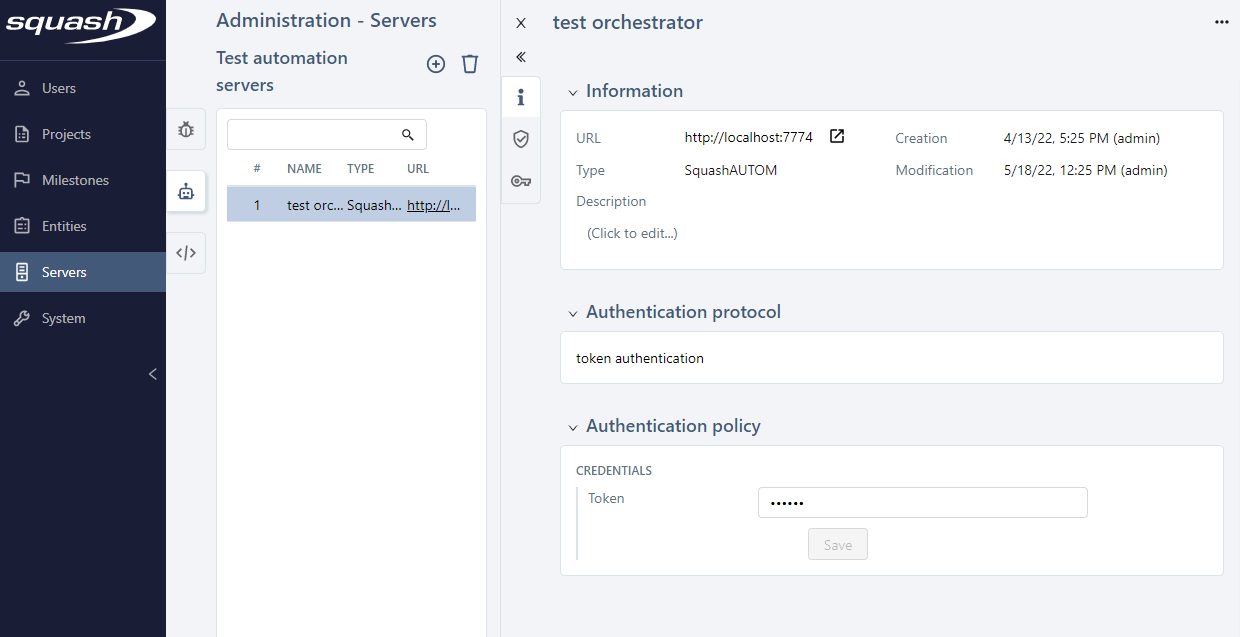
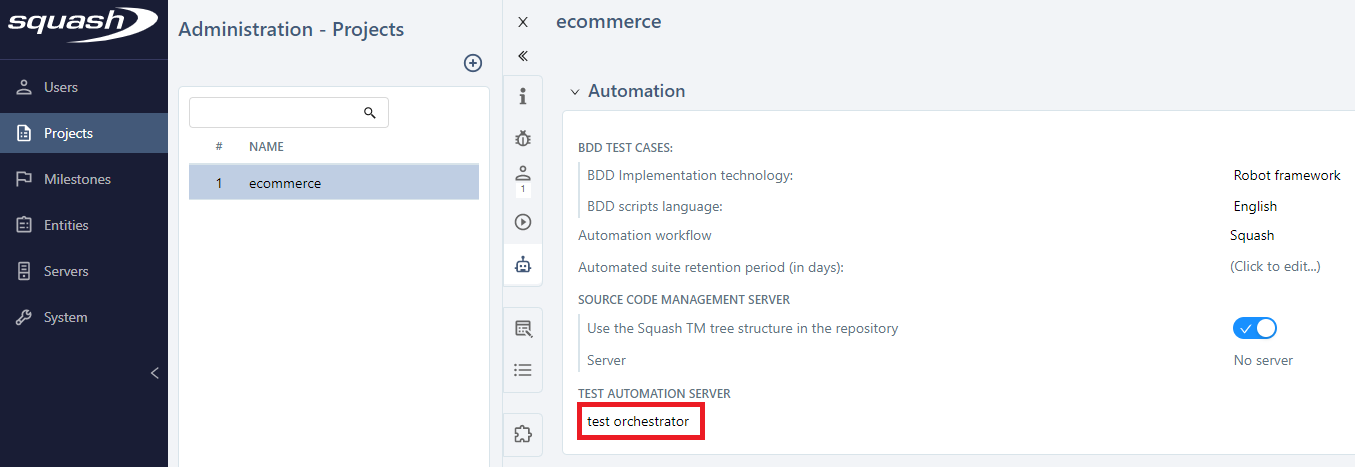
Then, she associates it to the project:
Creation of the Git repository (for the automated tests)
In order to be able to finish the configuration of the project, Annita needs the Git repository information. So she asks Antonine to create the repository and, in it, the directory into which SquashTM will push the automated test cases.
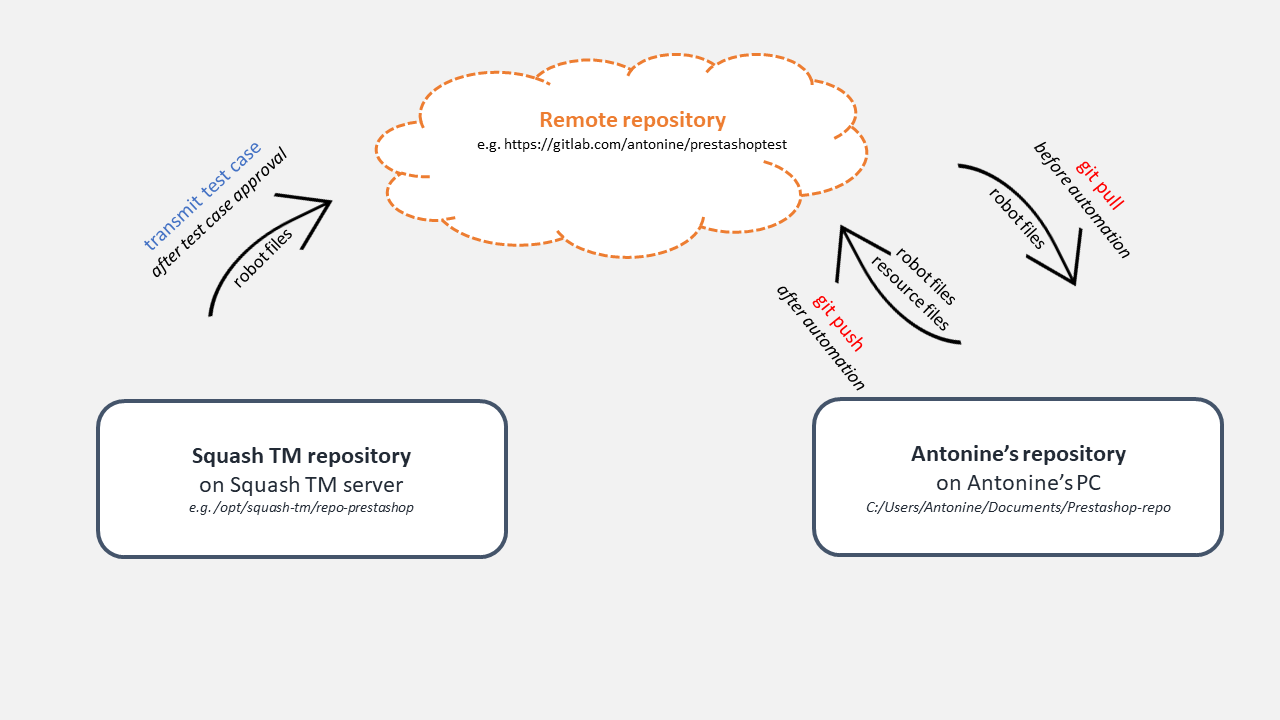
Overview of the involved Git repositories
The remote repository is stored in the cloud. It is the reference.
SquashTM uses a local repository (on the host server) to generate automated scripts before pushing them into the remote repository.
🛑 Nobody must interact with this local repository, it is intended to be used only by SquashTM.
Antonine uses a local repository on her PC. She retrieves the scripts generated by SquashTM by performing a git pull and pushes her automation code with a git push.
Antonine creates, on her PC, a local Git repository with the adequate directory structure:
mkdir repo_prestashop
cd repo_prestashop
mkdir -p tests/bdd_squash
touch tests/bdd_squash/.gitkeep
git init
git add .
git commit -m "project setup"
Then, she creates an empty remote repository in the cloud (it could be in GitLab, GitHub, Bitbucket…, in this case it is https://gitlab.com/antonine/prestashoptest), and pushes her local repository into it:
git remote add origin https://gitlab.com/antonine/prestashoptest
git push --set-upstream origin master
At last, she indicates to Annita the URL of the remote repository is https://gitlab.com/antonine/prestashoptest and that
the generated script files (i.e. the robot files) should be placed in the tests/bdd_squash directory.
Declaration of the Git repository in SquashTM
Annita declares
- the remote repository
- the local SquashTM repository
as described in the SquashTM documentation:
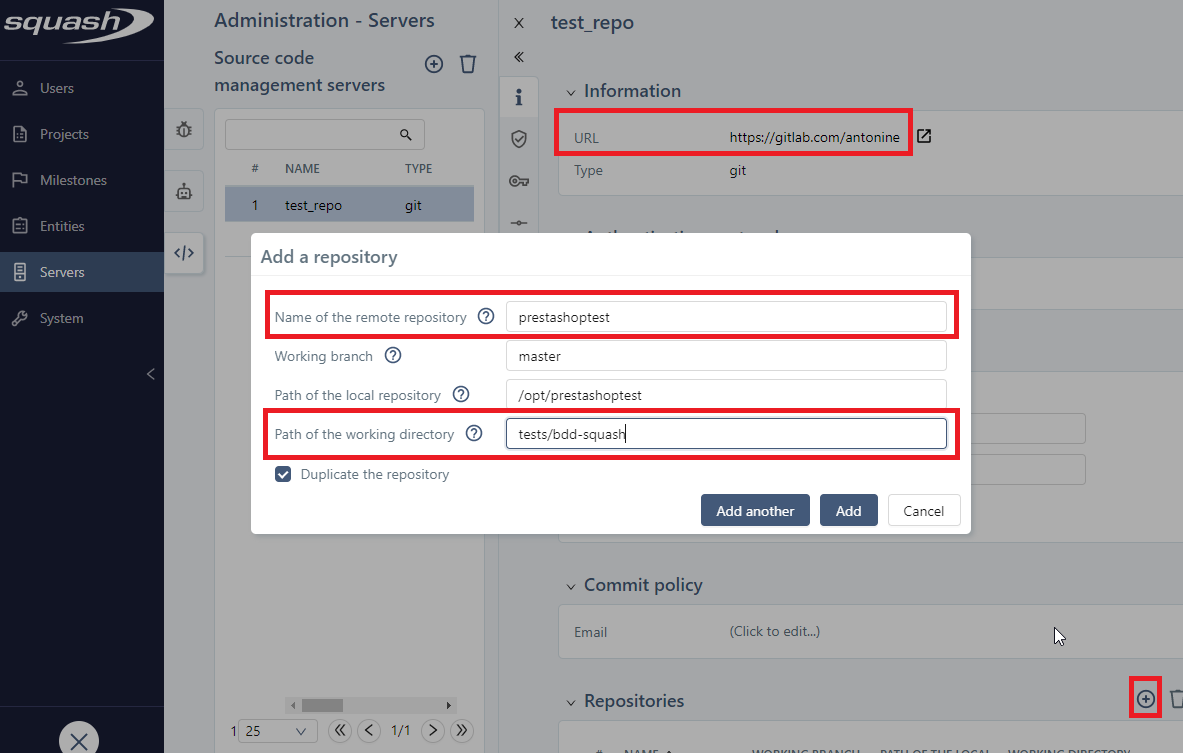
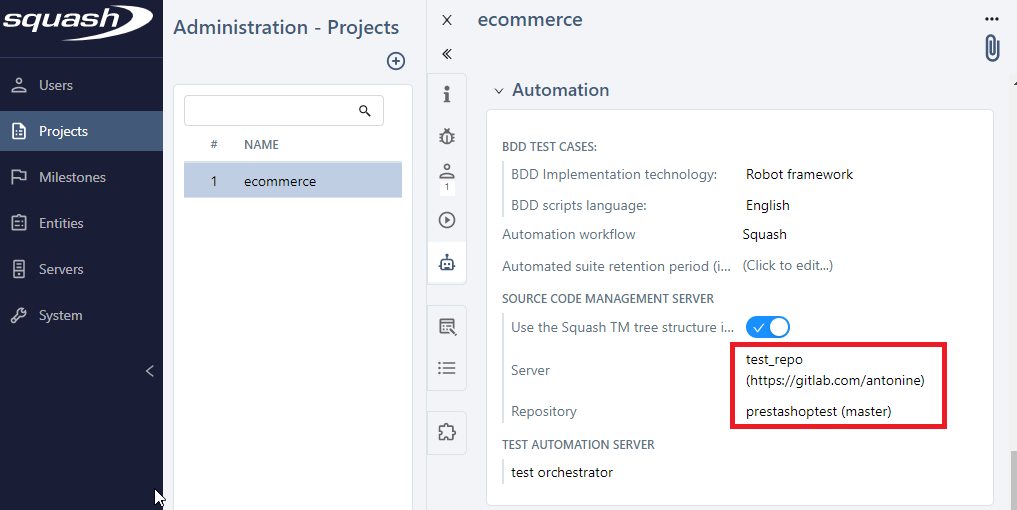
Then, Annita associates the repository to the project: