Automation with SoapUI
Test reference in SquashTM
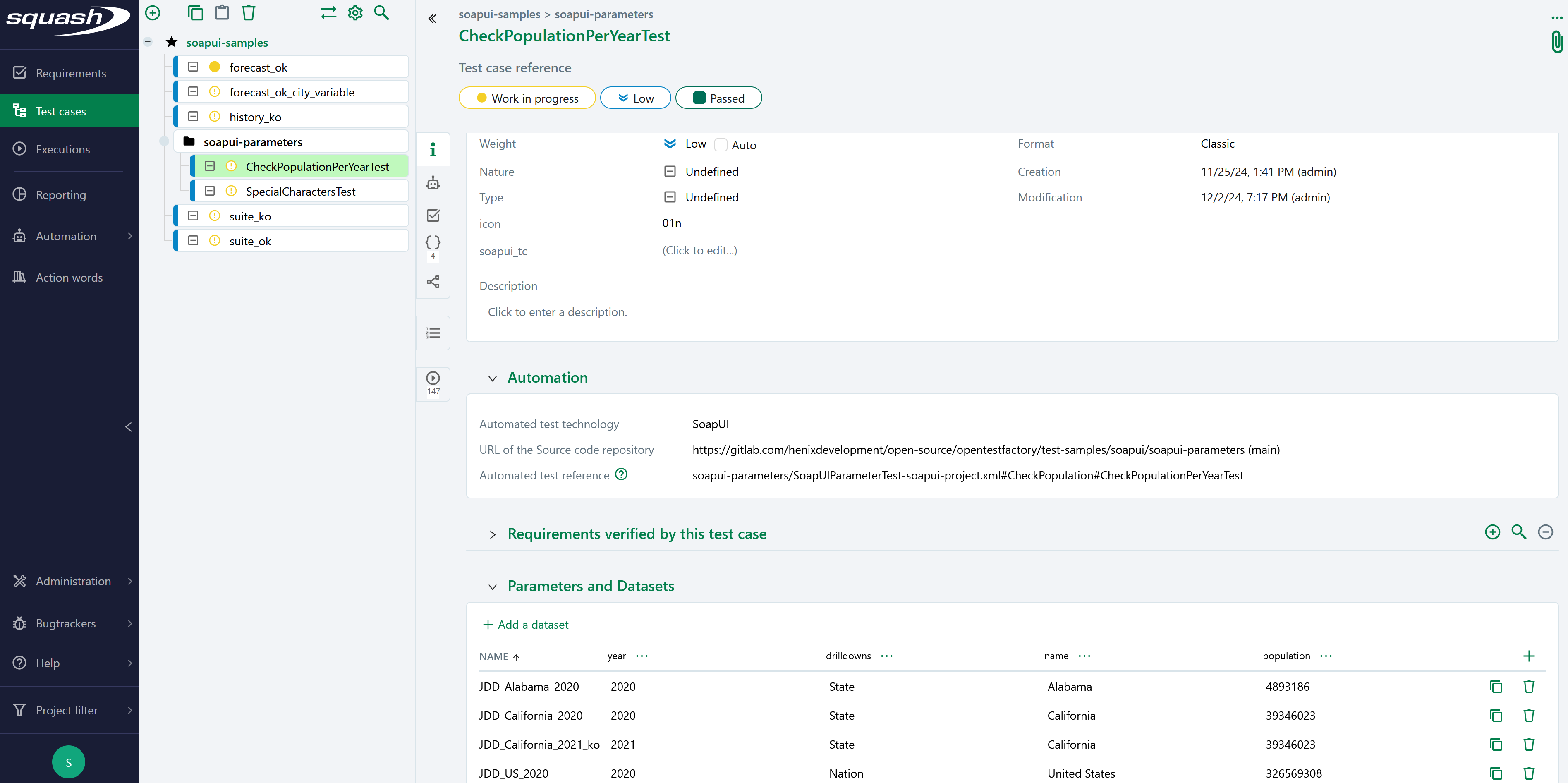
In order to bind a SquashTM test case to a SoapUI automated test, the content of the Automated test reference field of the Automation block of a test case must have the following format:
[repository]/[project]#[suite]#[test_case]
or[repository]/[project]#[suite]
(The reference contains one or two # characters.)
with:
[repository]: Name of the Git repository.[project]: Path and name of the SoapUI test file, from the root of the project (with the.xmlextension).[suite]: Name of the test suite.[test_case]: Name of the test case to execute.
This parameter is optional, i.e. it may be absent.
Determination of the result of the test case
If a test case [test_case] is not specified, the result of the SquashTM test case is calculated by taking into account the individual results of each test in the suite [suite]:
- If at least one test has an Error status (in case of a technical issue), the status of the execution will be Blocked.
- If at least one test fails functionally and none of the other ones has an Error status, the status of the execution will be Failed.
- If all tests succeed, the status of the execution will be Success.
Nature of the exploitable SquashTM parameters
The exploitable SquashTM parameters will differ depending on whether you're using the Community/Premium or Ultimate version of SquashTM.
Here is a table showing the exploitable parameters (these parameters are transmitted as test parameters, see below, SquashTM does not generate global parameters):
| Nature | Key | Community/Premium | Ultimate |
|---|---|---|---|
| Name of the dataset | DSNAME | ✅ | ✅ |
| Dataset parameter | DS_[name] | ✅ | ✅ |
| Execution ID | TC_EXECUTION_ID | ❌ | ✅ |
| Test case reference | TC_REFERENCE | ✅ | ✅ |
| Test case internal UUID | TC_UUID | ✅ | ✅ |
| Test case custom field | TC_CUF_[code] | ✅ | ✅ |
| Iteration custom field | IT_CUF_[code] | ❌ | ✅ |
| Campaign custom field | CPG_CUF_[code] | ❌ | ✅ |
| Test suite custom field | TS_CUF_[code] | ❌ | ✅ |
Legend:
[code]: Value of the "Code" of a custom field[name]: Name of a dataset
As indicated, SquashTM adds a prefix to the code of the transmitted custom field. Make sure to take it into account.
Availability of the execution ID
TC_EXECUTION_ID is only available with Squash TM 8.0 or later.
Parameters usage
It is possible, when running SoapUI tests, to exploit parameters within it. A parameter can be a test parameter or a global parameter. SquashTM transmits only test parameters. Test parameters and global parameters can be used in the case of a launch from a CI/CD pipeline with the soapui/params action.
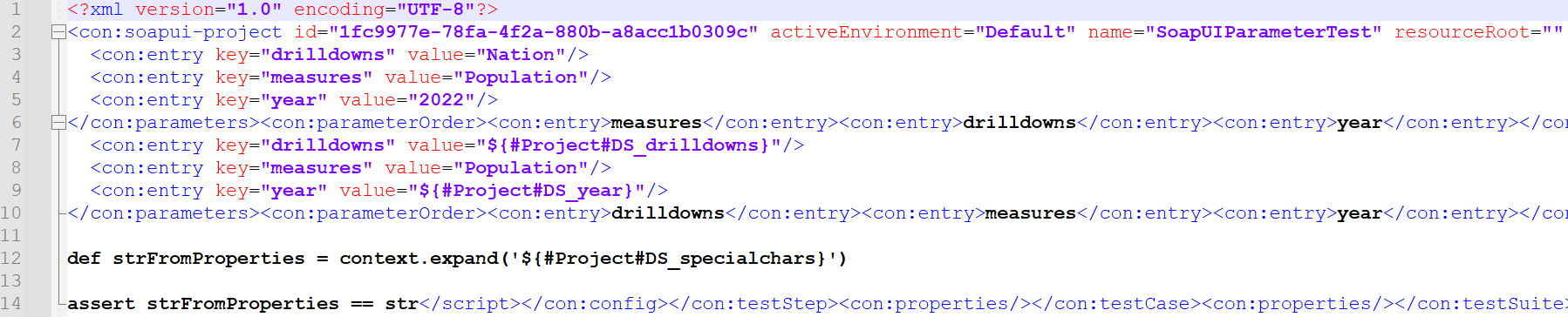
The parameters are available in SoapUI as environment variables and can be retrieved using the ${#Project#parameter_name} function for the test parameters and ${#Global#parameter_name} function for the global parameters (see the SoapUI documentation).
Example
Below is an example of a SoapUI test file and the corresponding SquashTM test case automation:
Supported versions
SquashTM has been validated with the following versions of SoapUI. More recent versions should work properly.
| Testing Technology | Version |
|---|---|
| SoapUI | 5.6.0 |